
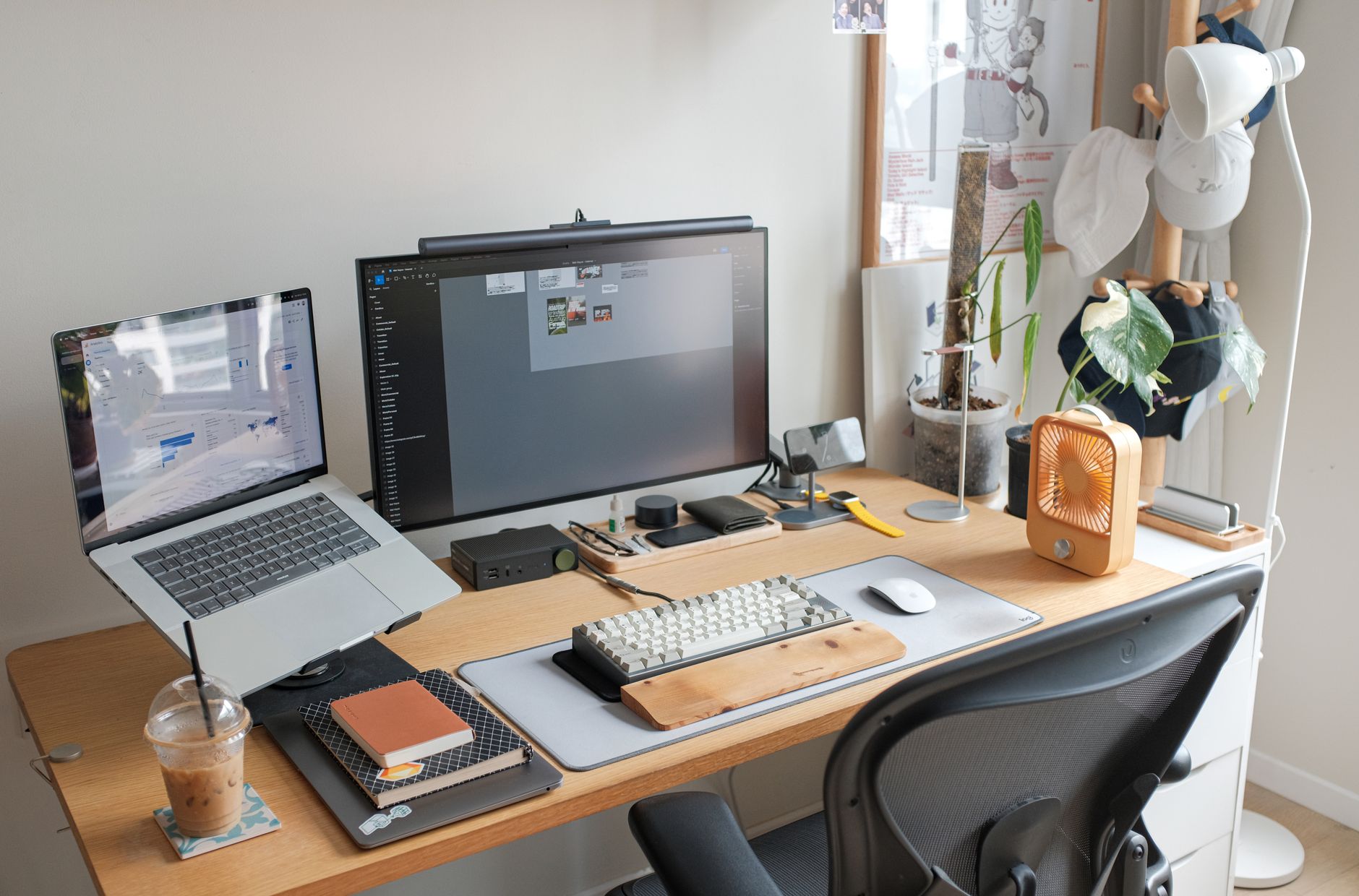
You spend most of your day typing commands, reading papers, and staring at terminals. The returns on a good keyboard are real. The returns on a second monitor are real. And the returns on noise-canceling headphones in a shared office are very real. What is not real is the idea that you need to spend $2,000 to get a good setup. This post is a practical guide to the hardware that genuinely improves how bioinformaticians work, written for people who analyze evidence before spending money.
I’ll cover keyboards, headphones, storage, docking, and ergonomics. I’ll skip the cable management YouTubers and the RGB lighting debates. The question is: what makes you faster, less fatigued, and better able to focus?
The Keyboard: The Case You Didn’t Know You Were Missing
A computational scientist types constantly. Unlike a software engineer who can partially rely on IDE autocomplete, bioinformatics work involves typing full commands, long file paths, bash one-liners, and configuration edits. Your keyboard is your primary interface to the work.
The standard laptop keyboard or cheap USB slab is fine for occasional use. It is not fine for 8+ hours a day across years of work. Repetitive strain injuries are common in computational fields, and a keyboard that requires less force to actuate is a measurable ergonomic improvement.
The case for a mechanical keyboard comes down to three things: key travel (the physical distance a key moves when pressed), actuation force (how much pressure triggers a keypress), and tactile feedback (whether you can feel when a key has registered). Most laptop keyboards require you to bottom out the key to register a press. Mechanical switches are designed to register mid-stroke, which reduces the force needed and the repetitive stress of bottoming out thousands of times a day.
The Keychron K8 Pro is the keyboard I recommend for most bioinformaticians. It is a tenkeyless layout (87 keys, no numpad) which keeps your mouse hand closer to the home row, reducing shoulder reach. It supports both Mac and Linux/Windows key layouts out of the box. It connects via Bluetooth or USB-C and hot-swaps switches so you can change the feel without soldering. The price is around $99 and it is meaningfully more comfortable to use than anything built into a laptop.
If you prefer a quieter switch for open office environments, choose the brown or red variant when ordering. If you work from home and want tactile feedback, the blue switches are satisfying but noticeably loud.
What to skip: any keyboard marketed primarily on its RGB lighting, any “gaming” keyboard with macros you will never use, and any keyboard without standard key spacing (the specialty ergonomic split keyboards are genuinely good but require weeks of adjustment that most people don’t finish).
Headphones: The Legitimate Productivity Tool
Noise-canceling headphones are not a luxury purchase for a bioinformatician in an open office or shared space. They are a working condition improvement.
The cognitive cost of ambient noise is well-documented. A 2005 study by Jahncke et al. in the Journal of Environmental Psychology found that irrelevant background speech specifically impairs working memory and reading comprehension: exactly the tasks you need when debugging a pipeline or reading a methods section. The argument for noise cancellation is not audiophile preference. It is distraction reduction.
The Sony WH-1000XM5 are currently the best over-ear noise-canceling headphones available without paying Apple’s premium. The active noise cancellation handles open office ambient noise, HVAC hum, and lab equipment drone effectively. Battery life is 30 hours. They fold flat for travel to conferences. Call quality is better than most alternatives, which matters during lab meetings and Zoom seminars.
The honest downside: they are $350. If that is outside your budget, the Sony WH-1000XM4 drops to around $200 on sale regularly and performs similarly. The Sony WF-1000XM5 earbuds are a better option if you prefer in-ear over over-ear, though the fit varies by person.
What to skip: any headphones under $80 with noise cancellation claims (the processing is not effective at that price), and Bose QuietComfort 45 (good headphones, but Sony’s ANC is better and the price difference has narrowed).
Storage: External SSDs for Large Datasets
Bioinformatics involves large files. A single RNA-seq run produces FASTQ files in the range of 5–50 GB. Whole genome sequencing raw data runs 50–300 GB per sample. If you’re working on a laptop, you will run out of internal storage unless you manage it actively, and moving those files to an external drive on a slow HDD is a workflow bottleneck.
The Samsung T7 Shield Portable SSD is the portable drive I’d recommend. At 1 TB, it holds a meaningful amount of working data. Transfer speeds top out around 1,050 MB/s read and 1,000 MB/s write over USB 3.2 Gen 2, which is fast enough that decompressing a 30 GB BAM file on the external drive feels similar to doing it on internal storage. The T7 Shield adds a rubberized outer shell compared to the standard T7, which matters in a lab environment.
Pricing is around $80–90 for the 1 TB model and frequently drops on sale. If you need more space, Samsung’s 2 TB model is around $140 and is worth the premium over two 1 TB drives if you want your data together.
For cold storage (data you need to keep but rarely access), a standard spinning hard drive still makes sense purely on cost-per-terabyte. The WD My Passport 4TB is a reliable option at around $90 and provides a slow but affordable archive tier. Do not use spinning drives as your working drive for active analysis.
The Docking Station: Worth It if You Move Between Locations
If you use a laptop as your primary machine (common for postdocs and graduate students), a USB-C hub is necessary the moment you want to connect a monitor, ethernet, and keyboard simultaneously. Modern laptops often have two or fewer USB-C ports.
The choice here depends on what you need. A basic 7-in-1 hub with HDMI, USB-A, USB-C power pass-through, and SD card slots covers most bioinformaticians’ needs. The Anker 555 USB-C Hub is a well-reviewed, reliable option under $50 that handles a single monitor and a few peripherals without power management issues.
If you work at a permanent desk and want to connect two monitors plus ethernet, you need a Thunderbolt dock rather than a generic hub. The Anker 777 Thunderbolt Dock at around $200 is the most capable mid-range option without overpaying for CalDigit branding.
One caveat: USB-C hubs can cause issues with specific laptop models, particularly around power delivery and video output. Check your laptop’s Thunderbolt 3/4 support before buying the more expensive dock. For most Mac and modern ThinkPad users, either option above will work reliably.
Laptop Stand or Monitor Arm: The Ergonomic Buy You’re Delaying
The default laptop position (flat on a desk, screen at desk height) puts your neck in sustained downward flexion for hours. This contributes to neck and upper back pain at a population scale among knowledge workers. The fix is trivial: elevate the screen to eye level.
The Rain Design mStand is a classic aluminum laptop stand that raises your screen approximately 6 inches, angles it toward you, and doubles as a heat sink for the laptop’s underside. It is a single-piece aluminum design with no moving parts, and it has been the standard recommendation in this category for over a decade because nothing about it fails. At $43, it is among the cheaper improvements in this list relative to the time you spend with it.
If you use a monitor as your primary display and your laptop functions as a clamshell, a monitor arm is worth the investment. The Ergotron LX Desk Monitor Arm allows full articulation, holds most 27–32” monitors, and dramatically cleans up desk space by eliminating the monitor stand base. It also makes it trivial to shift a monitor position during a long session.
What Not to Buy
Some purchases are popular in “productivity setup” content but do not improve bioinformatics work in practice:
Streaming deck / macro keyboards. If you find yourself wishing you had a single button to run your DESeq2 script, the real solution is a better alias or a Makefile, not a $150 physical button.
Ultra-premium audiophile headphones for work. Open-back headphones at this price level let in ambient noise. The Sony and Sennheiser consumer noise-canceling options outperform them for the office use case. Keep the audiophile gear for home listening.
Smart lighting systems for your desk. The legitimate productivity improvement comes from consistent, non-flickering daylight-spectrum lighting at the right brightness. A $30 LED desk lamp with a 4,000K color temperature does this. Hue bulbs do not improve code quality.
Standing desk converters. If your institution provides a desk and you want to stand, a fixed-height standing desk converter is a second-best solution compared to a proper sit-stand desk. If you can negotiate a sit-stand desk with your lab or employer, do that instead.
The Bottom Line
There is a short list of hardware improvements that genuinely matter for bioinformaticians doing daily computational work:
A good mechanical keyboard reduces typing strain for the people who spend the most time at a keyboard. The Keychron K8 Pro is the best value option. Active noise cancellation headphones reduce cognitive load in shared spaces. The Sony WH-1000XM5 are the best option at their price. A fast external SSD lets you work with large genomic files without internal storage pressure. The Samsung T7 Shield 1 TB is the practical choice. Elevate your laptop screen to eye level. The Rain Design mStand does this for $43.
None of these are status purchases. They are tools that reduce physical friction and cognitive load across hours you will spend at your desk anyway. The ROI on the keyboard alone, amortized over a few years of daily use, is trivially positive.
If you spend significant time reading papers alongside the terminal work, a dedicated e-ink tablet can reduce the eye strain of switching between monitors and documents; the e-reader comparison for scientists covers the best options for PDF annotation.
If you’re thinking about the broader career trajectory alongside your setup, the bioinformatics salary guide for 2026 covers what the market looks like right now, and knowing your worth helps you negotiate the institutional resources to support a good working environment.